Product
GPS + BT Reset
A distance-logging tool for rally reconnaissance. Integrates precise GPS measurement with a Bluetooth steering-wheel button for hands-free resets.
Side build · Rally app
A professional rally reconnaissance app combining GPS tracking and a Bluetooth steering-wheel button. Built so the driver can log precise distances hands-free while driving, for the co-driver to write into the pacenotes.
Overview
Product
A distance-logging tool for rally reconnaissance. Integrates precise GPS measurement with a Bluetooth steering-wheel button for hands-free resets.
Team & context
A side project built primarily in 2019, designed closely with Olivier Brouze, a professional French rally co-driver. Stable since 2022 and still actively used today.
My Role
Implemented the iOS app from functional specs, integrated Apple's location APIs for tracking, and wired the Flic Bluetooth button SDK.
The opportunity
The problem
Accurate pacenotes rely on precise distances between turns. Traditional rally tripmeters were bulky, and phone apps forced drivers to tap small screens while driving.
The challenge
GPS tracking had to stay reliable across varied speeds and tree cover. The reset interaction had to work instantly every time without taking the driver's focus off the road.
Product loop
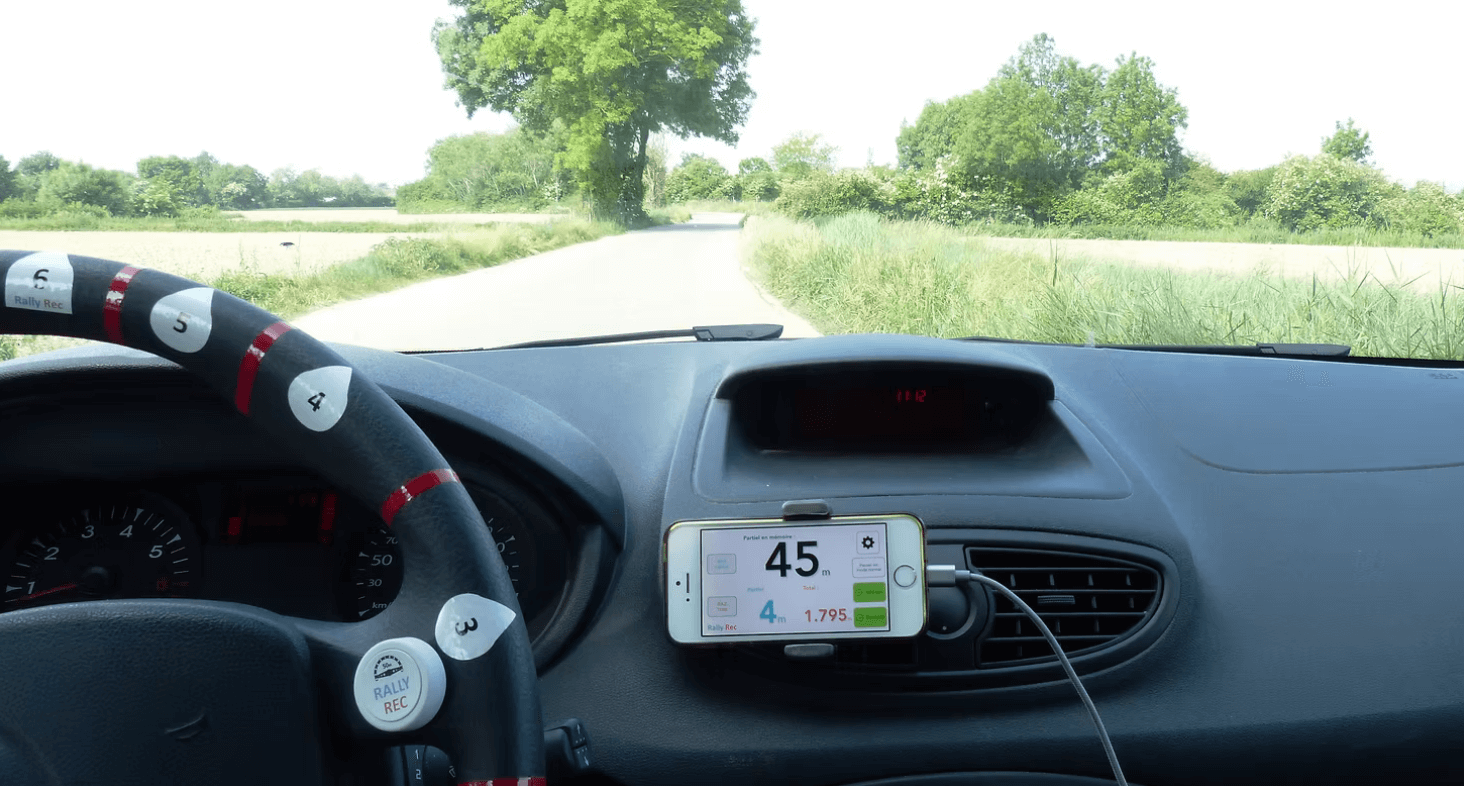
Drive the stage, press a steering wheel button to reset between corners, and keep distances perfectly aligned with your pacenotes.
Start
Start tracking before driving the stage. The app measures GPS distance and displays total and partial distances in large digits.
Reset
A Bluetooth button mounted on the steering wheel lets the driver reset partial distance with a thumb press, without looking at the screen.
Log
The co-driver glances at the screen for exact corner distances, eliminating guesswork and reducing mental load in the cockpit.
Key decisions
Focused product scope
We rejected feature requests for interactive maps, live timing, and social logs. Keeping RallyRec focused strictly on distance tracking during reconnaissance created a simple mental model for crews.
Physical hardware integration
We integrated a physical Bluetooth button directly into the steering wheel. Handling reconnection logic and filtering double presses made hardware feel like a seamless extension of the app.
Cockpit interface design
We designed an interface built specifically for high speed environments with extra large numbers, high contrast, and flat navigation. It acts like a cockpit gauge rather than a typical mobile app.
Real world GPS tuning
We validated location tracking by driving repeated loops on real roads to test how distances behaved across varying speeds. We tuned algorithms for real road conditions rather than software simulators.
Results
Paid users
Achieved 800 paid downloads with no free trial, proving genuine willingness to pay from professional rally drivers and co-drivers.
Rallies covered
Users logged an average of 10 rallies each, totaling thousands of reconnaissance runs tracked and validated in real competition conditions.
Distance tracked
Over 120,000 kilometers of rally stage reconnaissance measured accurately through the app.
Minimal maintenance
The app reached a stable state in 2022. It generates steady revenue while requiring minimal ongoing maintenance.
Retrospective
Rally drivers need the same stretch of road to show the exact same distance on every pass. Tuning for repeatable consistency mattered far more than chasing raw GPS accuracy.
If a driver looks at a screen for more than a second while driving, something is wrong. Extra large numbers, zero touch interaction while moving, and high contrast beat standard app design every time.
Working directly with a professional co-driver provided sharper product direction than any mass feedback form. In specialized fields, deep collaboration with an expert wins.
Users asked for maps, live timing, and social sharing. Saying no to everything kept the tool usable under high stress rally conditions. Doing one job flawlessly beats doing ten things half as well.